
Case Study - Hue
How Hue QA-tests Shoppable Widgets Across 20+ Merchants Without Rebuilding Anything


COMPANY
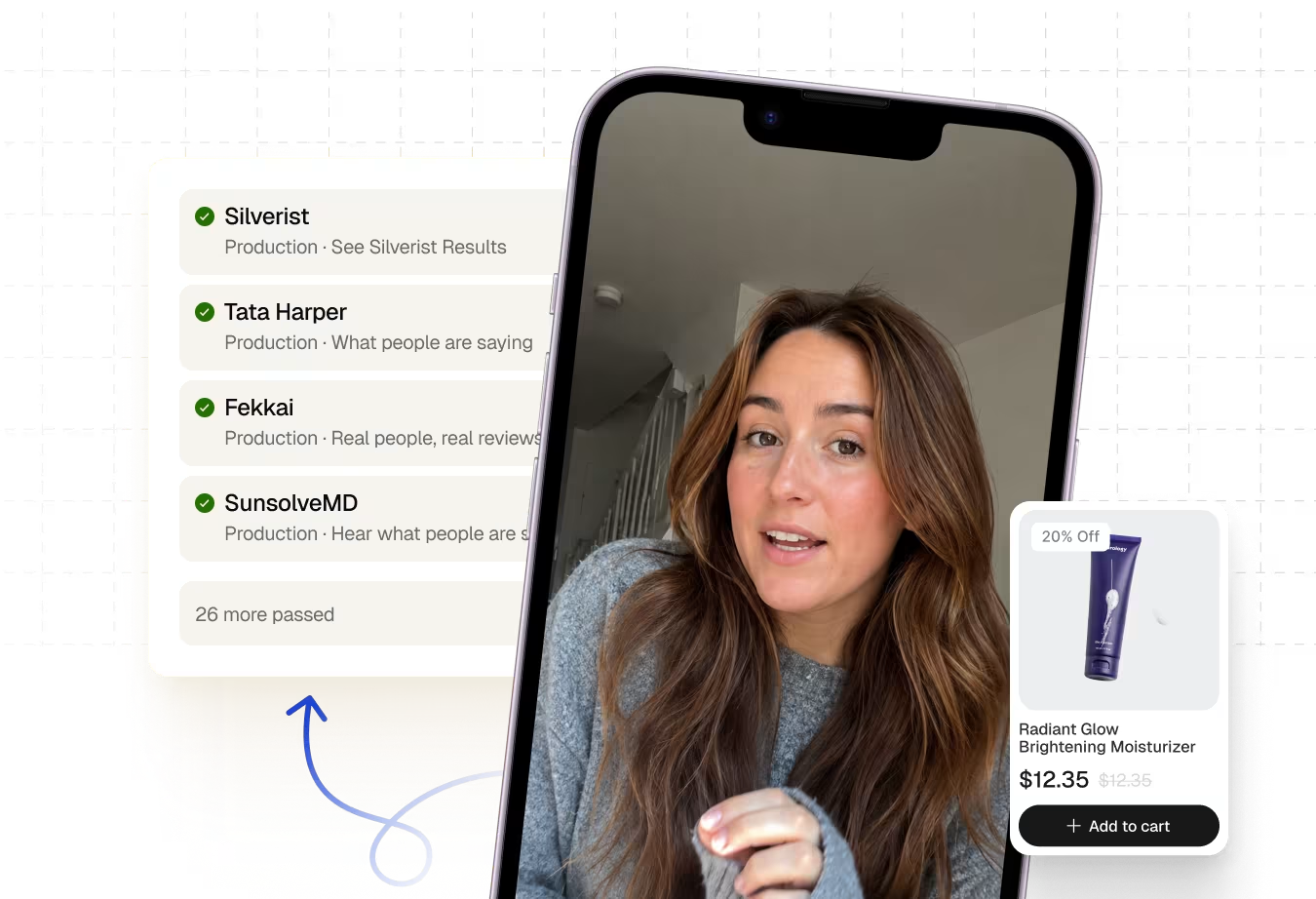
Hue is an American B2B SaaS company that powers shoppable UGC video experiences for e-commerce brands and retailers
INDUSTRY
E-Commerce, SaaS ($2.6 Million)
COMPANY SIZE
1–10
FOUNDED
2021
80%

Reduction in manual
QA time spent per release each week.
20+

Merchant stores covered
from a single shared scenario.
1-2

Production releases
per week protected by automated regression.
The Problem
Alona was doing QA for 20 brands. With one spreadsheet and not enough hours.
Hue is a small company, fewer than ten people, that does something technically tricky. They embed shoppable UGC video widgets directly into the storefronts of beauty and fashion brands. When a shopper watches a creator's video on a brand's site and taps "Add to Cart," that's Hue's widget doing the work.
The problem is that every brand has its own theme, its own page layout, its own settings. A code change that fixes one merchant's widget can silently break another's. And Hue's customer count keeps growing.
Before Spur, keeping all of that working fell almost entirely to Alona. She maintained a core list of stores she checked before every release, and a rotating list she got to when time allowed, which meant some brands were skipped every week. For her core list alone, a careful check could take two hours. A thorough pass across everything could take close to a week.
"For up to 10 stores, it could take Alona two hours. If she needed to check everything carefully across all stores, she could spend almost a week. Now she can spend that time on something else."
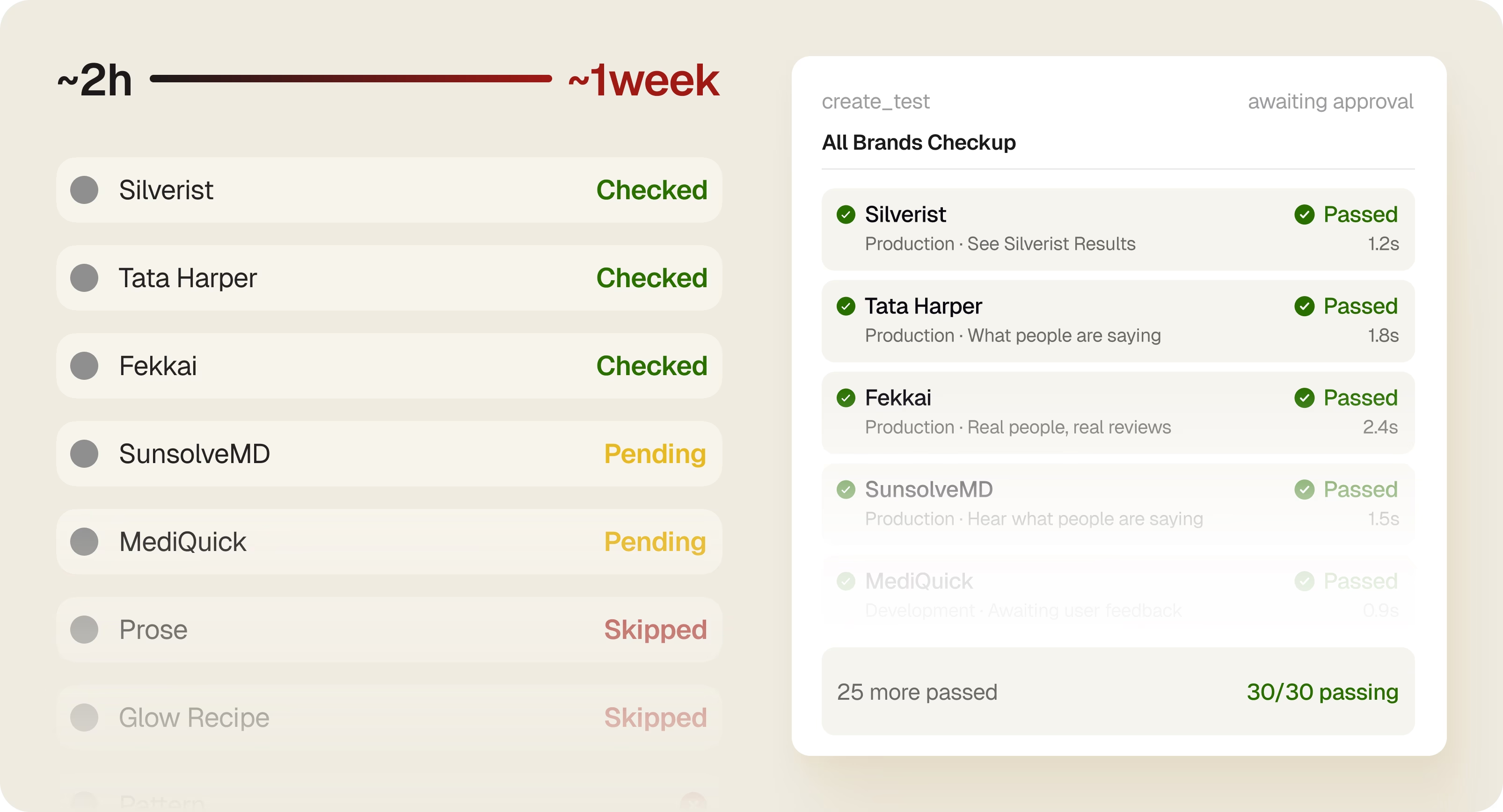
That's the scaling trap. Every new brand Hue signed didn't just add a customer, it added to Alona's manual workload. And there was no ceiling on that.
The Solution
The insight wasn't "automate the tests." It was "write one test that works for everyone."
When Hue started working with Spur, Janvi and Alona didn't sit down and build 20 separate test suites. They asked a different question: what does every brand's widget actually need to do? The answer was the same regardless of merchant:
Find the widget. Play the UGC video. Click Add to Cart or Shop CTA. Confirm the cart and Klaviyo flows behave correctly.
That's one journey. And once you have one journey, you can run it on as many brands as you want, you just need a way to tell Spur which store, which page, which widget header to look for. That's what Spur's scenario tables do.
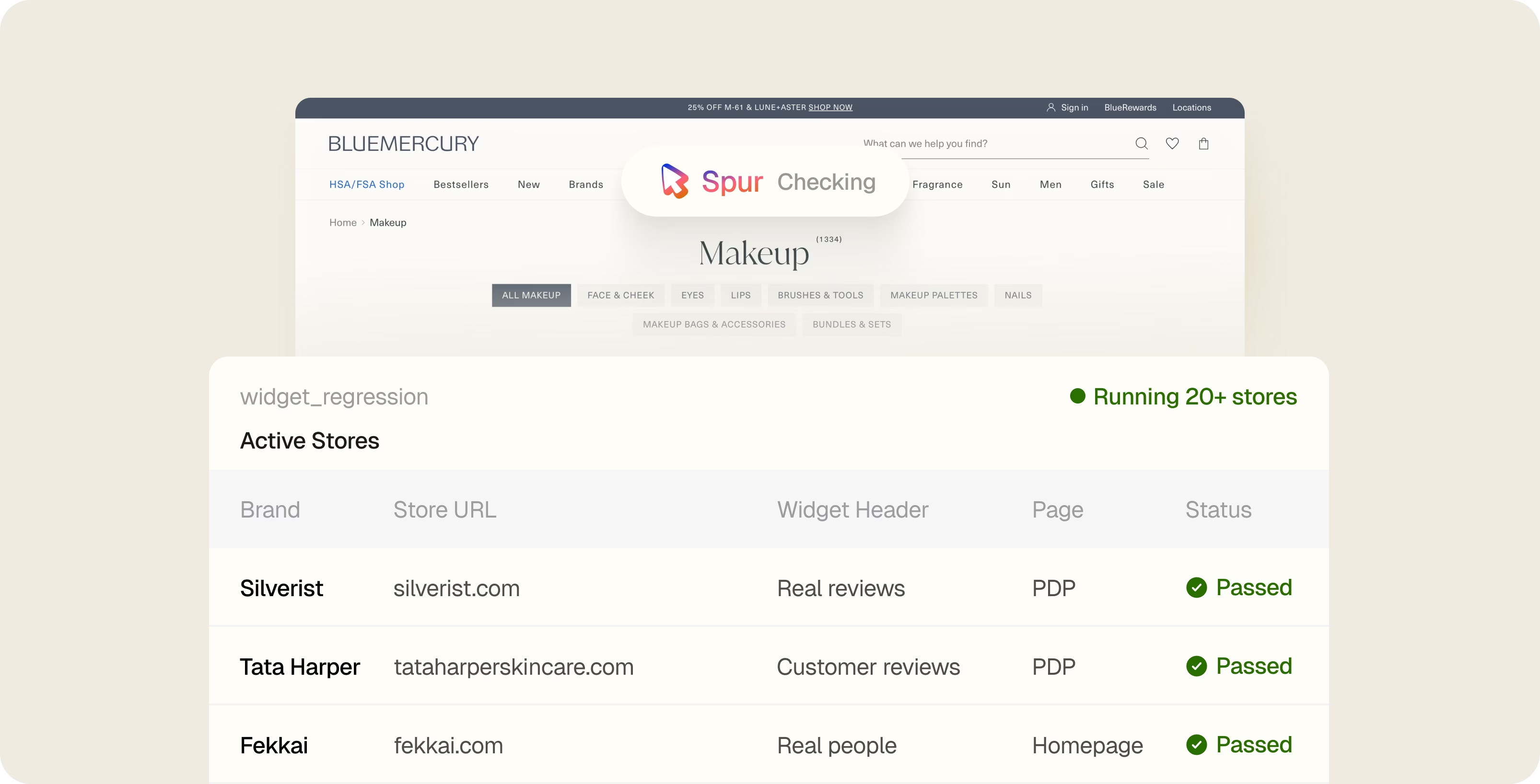
Hue defined the core flow once. The scenario table supplies everything that changes by brand, the store URL, the widget header, the device type, the page type. Spur reads each row and runs the same human-like sequence on the right store and device.
"We increased the number of tested stores and covered all our core functionality. Before, we could miss something."
[timeline]
DEFINE | One shared widget journey | Core interactions defined once in Spur — find the widget, play the video, add to cart, confirm the cart and Klaviyo flows behave correctly.
SCALE | New brand, one row in a table | When a merchant goes live, Alona adds the store name, widget header, and URL to the scenario table. No new suite, no new scripts.
RUN | Covered from the next test run | From that point on, Spur automatically includes the brand in every regression run — same flow, same confidence, zero extra effort.
[/timeline]
Adding a new brand now takes one row in a table.
Here's what Hue's onboarding process looks like today. When a new merchant signs up and the widget goes live, Alona opens the relevant scenario table and adds a single row: store name, widget header, URL. From the next test run, Spur automatically includes that brand, same core steps as every other store, no separate suite, no script maintenance.
If the merchant later adds the widget to a new page or adjusts the design, Alona usually just adds a URL or updates a header. The flow itself doesn't change.
"Before Spur, we relied on Alona to manually spot check our widgets store by store. We knew that was not going to scale as we added more brands."
The Results
Spur found the bugs Alona didn't have time to catch.
Once the scenario table was running across 20+ stores, Spur started surfacing issues that had been slipping through. Two in particular stand out.
First: stores where the Hue widget shipped without a working Add to Cart event. Shoppers watching a video on those storefronts couldn't add products directly from the widget, the whole point of Hue's product, and it would have stayed broken until a customer complained.
Second: stores where Klaviyo list IDs or app keys had changed without notice. The quiz email flows broke silently. Spur's results revealed the failures before anyone noticed they weren't working.
"We use Spur to confirm everything works as intended after production releases. The last few runs were stable with no issues, and that's really nice."
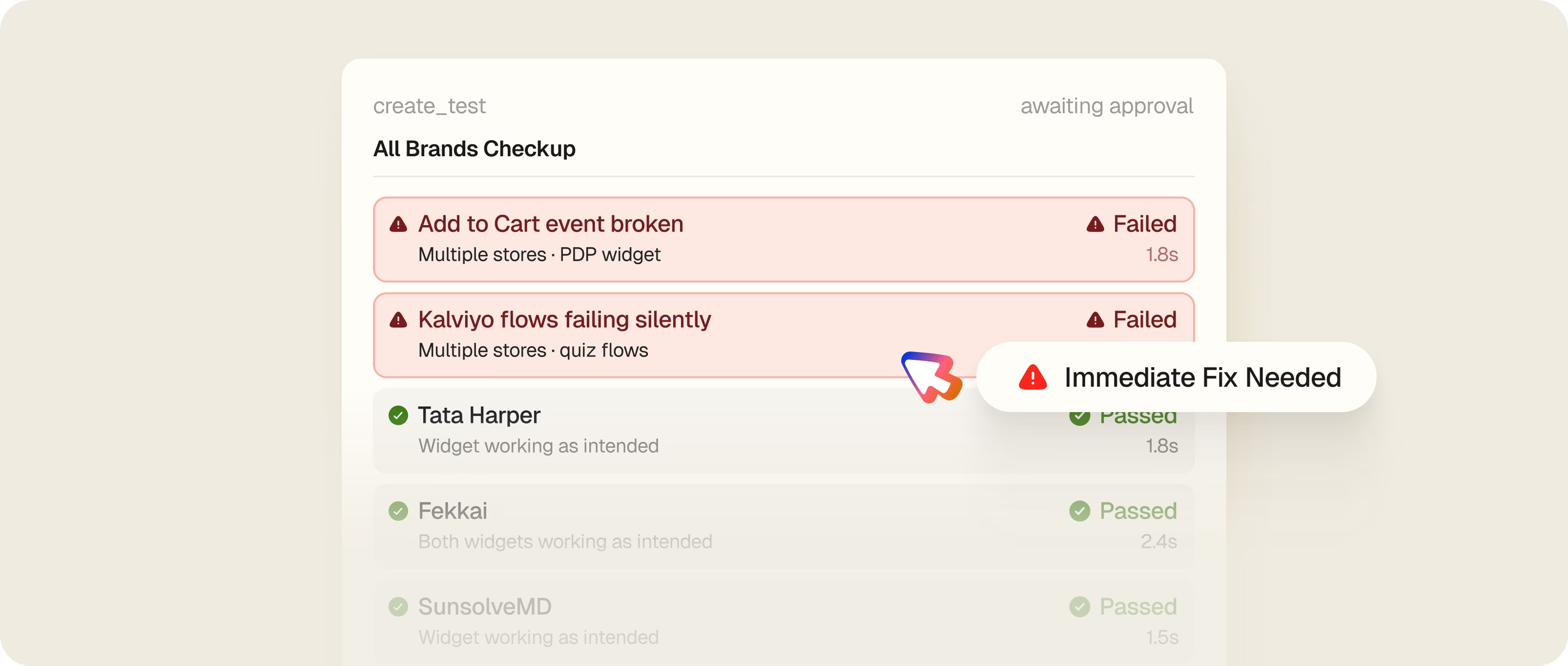
Alona now reviews failures from each run, double-checks them manually, and posts a summary for the team. Her role didn't disappear — it got more strategic. She configures which scenarios run on desktop and which on mobile. She advises on fixes. She's not spending two hours clicking through storefronts every release cycle.
80%
Reduction in manual QA time
20+
Merchant stores covered
1–2x
Production releases every week




Key Insights
Hue didn't build 20 test suites. They built one, and made it work for everyone. Adding a new brand is now a single row in a table, and from the next run, that store is covered automatically. That's what scaling QA actually looks like.