

Spur caught Youfoodz showing "undefined" where the delivery date should be

What this run
has verified.

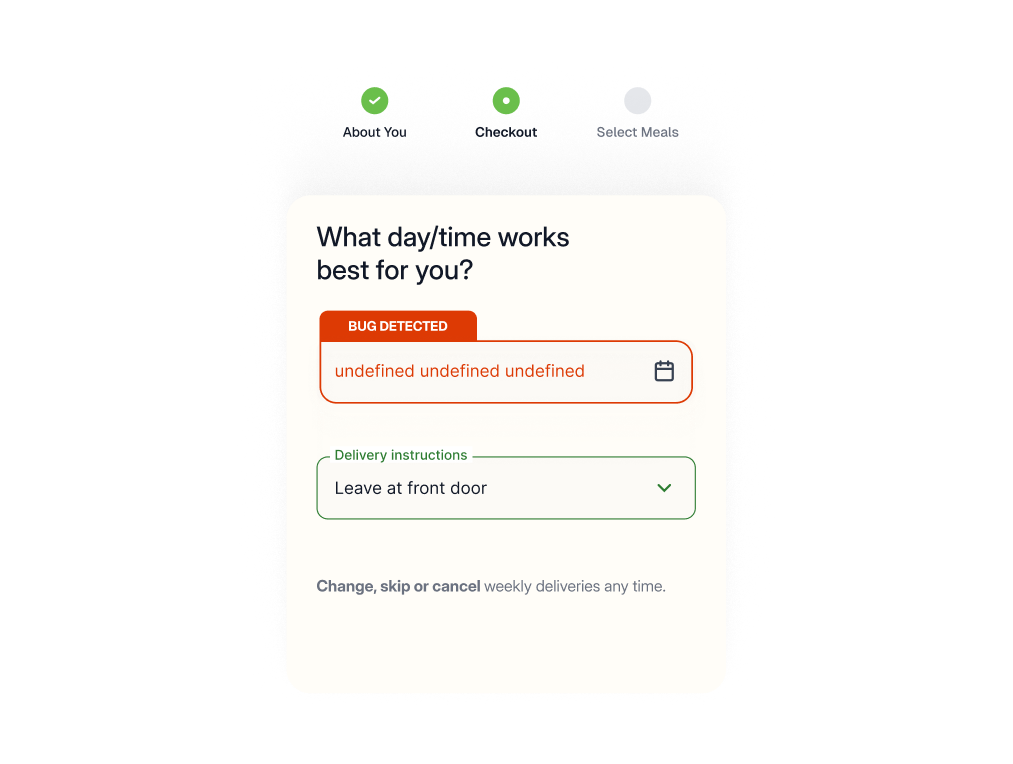
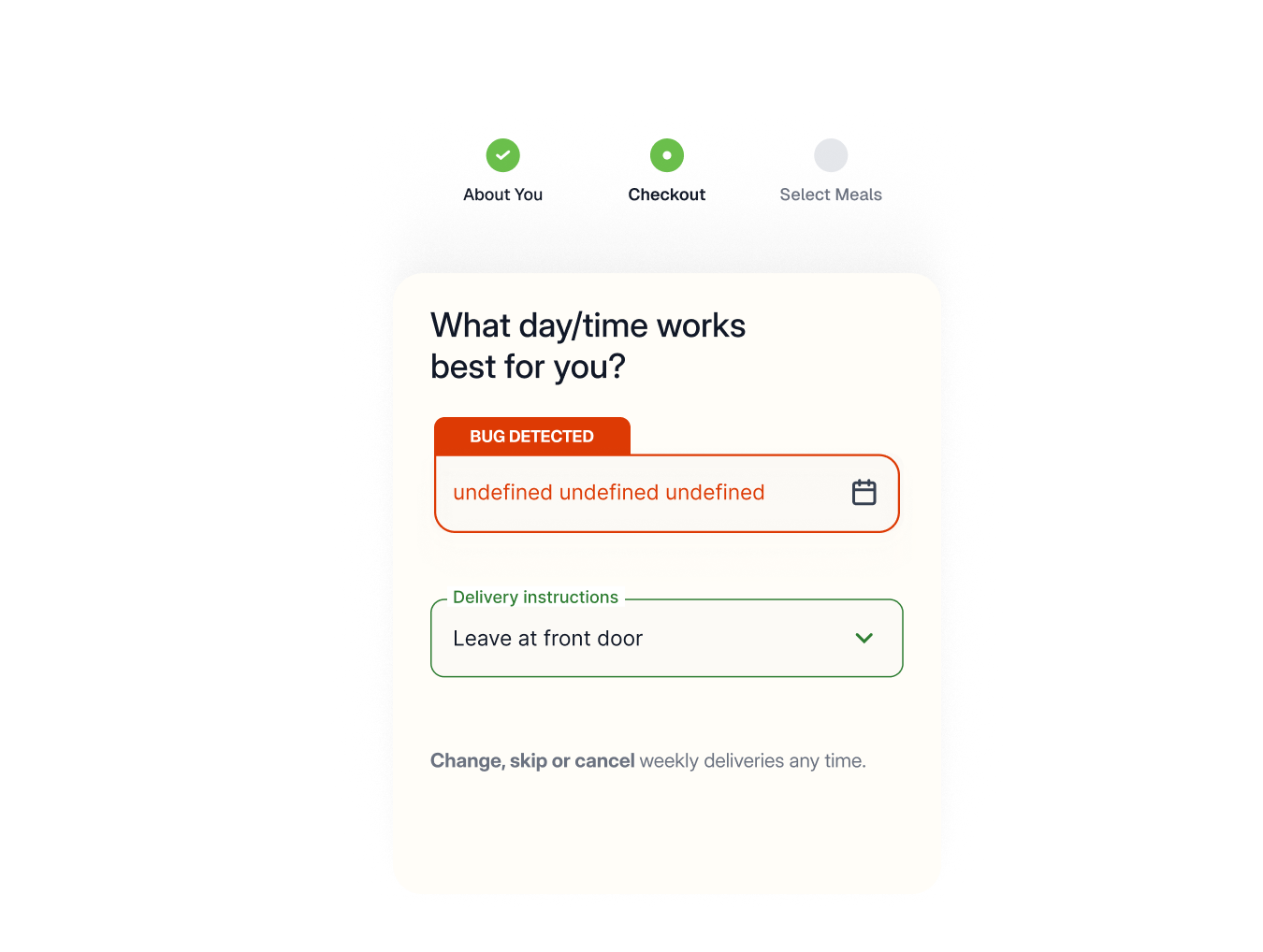
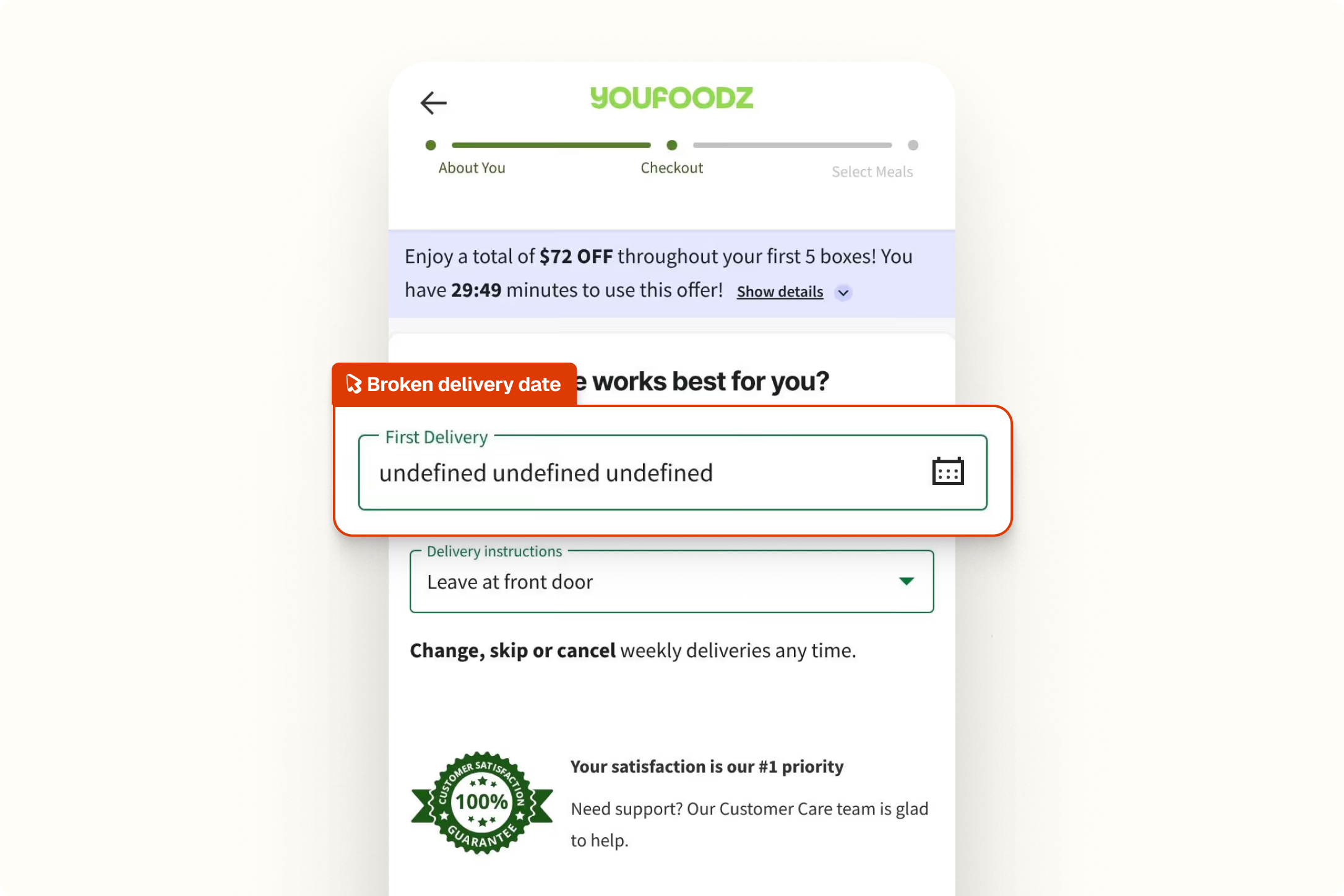
Spur's Functional Testing agent walked through Youfoodz's checkout flow, filled in the delivery address, and proceeded to the delivery date selection page. The First Delivery Date field displayed "undefined" instead of a formatted date.

Date rendering
The First Delivery Date field displaying a correctly formatted date.
Data population
Dynamic fields resolving their values before the page renders.
Checkout clarity
Customers seeing accurate delivery information.
Form integrity
No raw code or placeholder text visible in customer-facing fields.
Compare
The customer's live site,

captured by

Spur
during the run.

Fill in Address Form and click on main CTA

What this
one catch saved.
5hrs
Dev time saved
Shipped, "undefined" tends to surface immediately through customer support. Tracking it back to a date formatting or data loading issue in the delivery step, fixing it, and testing it across address scenarios takes a real chunk of time.
$80K+
Potential lost revenue
Any customer who hits this during checkout has no reliable way to know when their meals will arrive. Most won't proceed.
4hrs
Manual QA time
Catching this manually means running the full checkout flow through to delivery date selection and reading the field carefully enough to notice the rendered value is broken, not just that a date is present.
The actual test
in

Broken text
A 13-step functional test of Youfoodz's checkout and delivery flow. Spur filled in the address form, navigated through delivery date selection, tested the delivery options dropdown including edge cases like the "Other" field, and verified the experience held up after going back, refreshing, and continuing to payment. It didn't make it past step 3.
Redirect to: https://www.youfoodz.com/checkout/delivery/?isDeliveryDetailsFeature=true
Verify that the user can see the delivery address form
Fill in Address Form and click on main CTA
Delivery date not showing
Verify that user can see delivery date choice page
In First Delivery Date field click to edit and choose in calendar delivery date for the next week, record warnings
Click on the delivery options field to expand it
Extract {Delivery_Options}
Choose different options from the delivery options dropdown. If you are in Germany make sure you interact with the 3rd field and not 2nd. Make sure to also choose the "Other" option once and enter something in the free text fields once as well. In order to explore the dropdown for options that may be cut out, you'd need to hover on one of the options and then scroll down. Throughout this flow, record any warnings for irregular behavior during the experience of changing the dropdowns.
Click Continue to next step
Go Back
Refresh page
Click continue to next step
Verify that you see payment methods page

.avif)
Checkout


.avif)
UI/UX
.avif)
Pricing
Interactions
Checkout
UI/UX
AI Feature Error